# Quickstart
> Set up Sculptured, create a team and follow its first run.
Start with a small task in a project folder you know. This guide uses a **Builder → Reviewer** team: one agent does the work, then a second reviews the result.
## Set up Sculptured
Choose the setup that matches how you want to run the app. Both lead to the same team creation steps below.
You need a beta invite and a computer with Claude Code or Codex installed. The runner supports Windows on 64-bit Intel or AMD, macOS 11 or later, and Linux; the **Computers** page lists available builds.
1. Open your invite link. Enter your name, email and a password of at least 12 characters, then choose **Create account**. For later visits, sign in at **app.usesculptured.com**.
2. Open **Computers** from the **⋯** menu at the top right. Under **Connect a computer**, select the system of the computer that will run your agents and choose **Copy connect command**.
3. Open a terminal on that computer—PowerShell on Windows—paste the command and press Enter.
4. Return to **Computers** and wait for **Connected**. Check that Claude Code or Codex is installed and signed in; use the sign-in controls if needed.
The command installs the runner without admin rights and allows agents to start in your home folder. The runner stays in the background and starts again when you log in. See [Connect a computer](/connect-a-computer) for installation details and folder access.
You need Linux or an Apple silicon Mac, Rust 1.95 or newer, Node.js 24 and Git. Install Claude Code or Codex and sign in as the user who will run Sculptured.
```bash
git clone https://github.com/Sculptured/Sculptured.git
cd Sculptured
npm --prefix web ci
npm --prefix web run build
cargo run --release -p sculptured -- serve
```
Open `http://127.0.0.1:4410`. The server starts a local runner, so you do not need to connect a computer or create an account.
Keep port 4410 on localhost. Anyone who can reach the local server can control your agents. See [Security](/security).
For backups, upgrades and other server options, see [Run it yourself](/operations).
## Create your first team
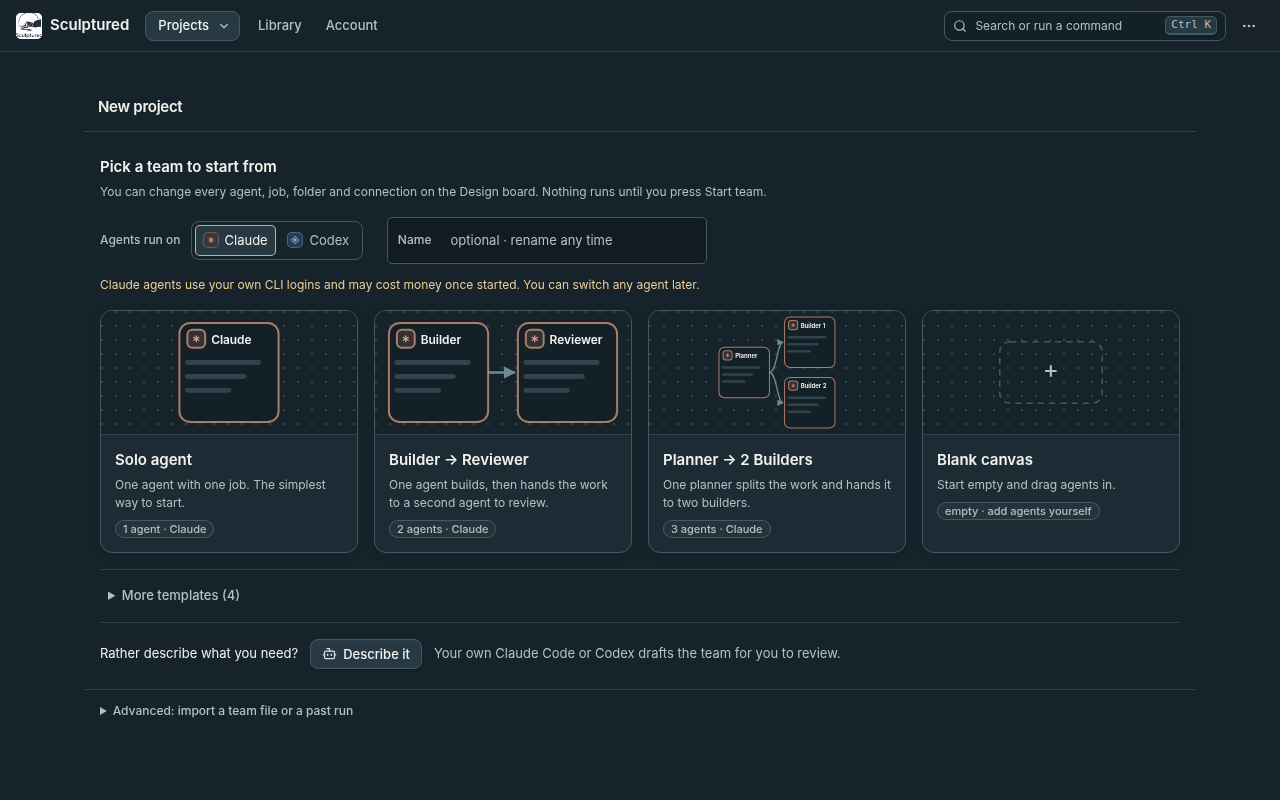
Choose **New project** on the Projects page, or under **Projects** in the top bar. Set **Agents run on** to **Claude** or **Codex**, then select **Builder → Reviewer**.
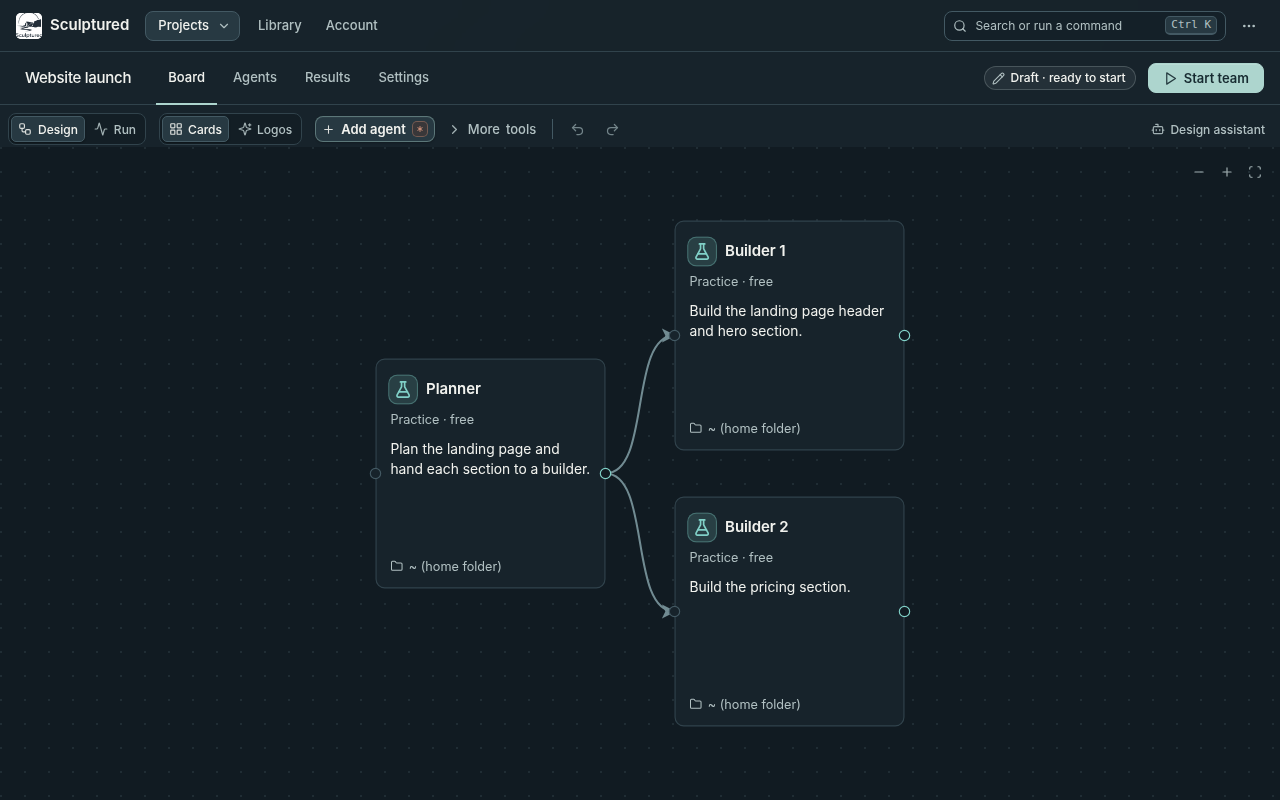
The project opens on the **Design** board.
- **Hosted:** use **Folder on your computer** to enter a full path, such as `/home/you/project` or `C:\Users\you\project`, or choose **Browse…**. Select a computer under **Run on** if more than one is connected. With one connected computer, **Automatic** uses it. An empty folder field uses that computer's first allowed folder.
- **Self-hosted:** choose **Project folder**. Agents use this folder unless you give an agent its own.
Open each agent and edit its **Job**. Give the builder a specific task and tell the reviewer what to inspect. Include how the result should be checked.
For example, ask the builder to fix one reproducible bug and add a regression test. Ask the reviewer to inspect the change, run the relevant tests and report any remaining issues.
The project's status, next to **Start team** in the tab row, reads **Draft · N to fix** while required details are missing; **Things to fix** on the Design board lists them. **Draft · ready to start** means the team can start; it does not assess the quality of the jobs.
## Run and review the team
Choose **Start team**, at the right of the project's tab row, and review the confirmation. Agents use your own Claude Code or Codex sign-in and may incur charges or consume plan usage. You can set a per-agent **Token limit** before starting; see [Limits and usage](/reference/limits).
Once you confirm, Sculptured opens the **Run** view. The builder receives its Job first. When it finishes a work turn, its final reply is passed to the reviewer along with the reviewer's Job.
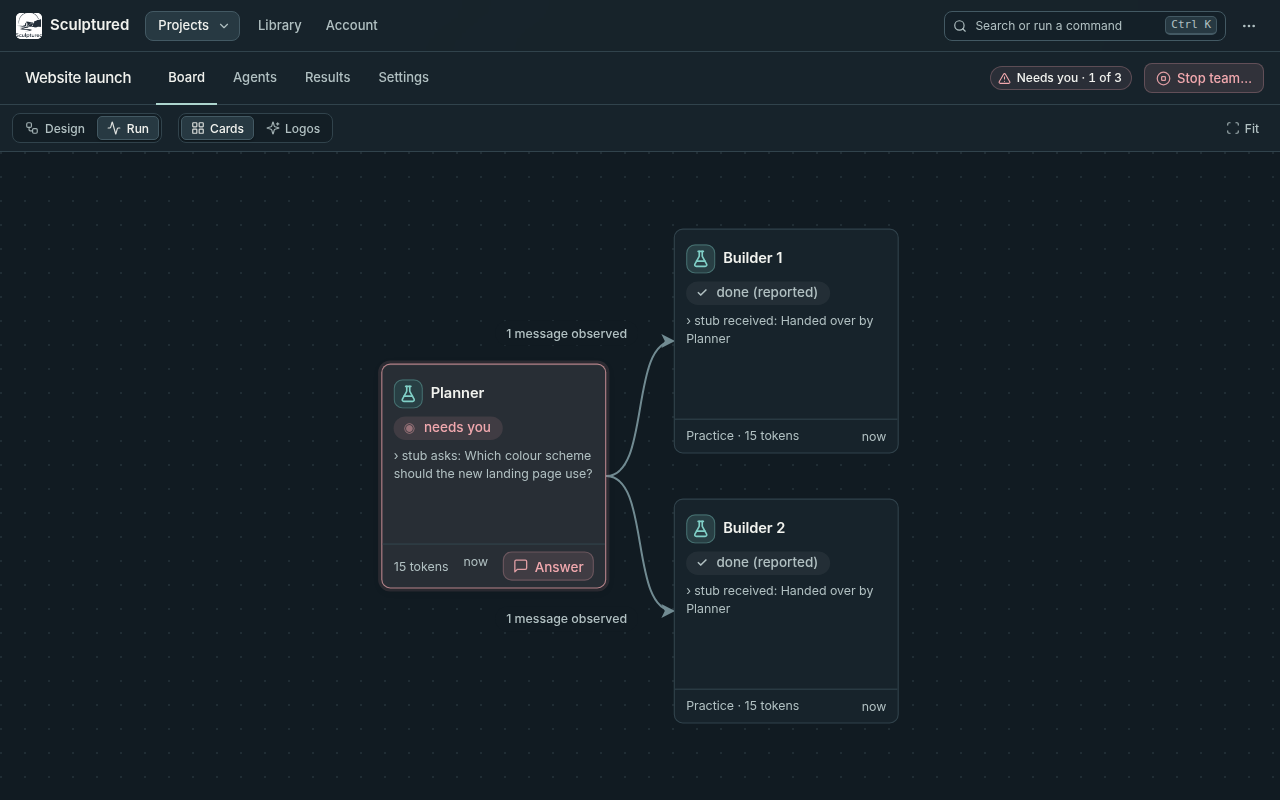
Open an agent to read its conversation and tool calls. Send guidance through its message box, or open **Results › Team conversation** to follow updates across the team.
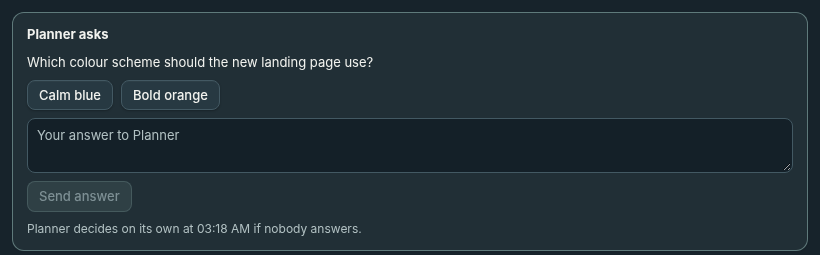
If an agent shows **needs you**, choose **Answer** and respond on the question card. Use **Allow** or **Deny** for a tool approval. Questions and approvals have timeouts; [Questions and approvals](/guides/questions) explains what happens when they expire.
Read the reviewer's findings and inspect the changes and check results. An agent marked **done** has finished a turn; that alone does not establish that the work is correct.
Choose **Stop team** and confirm to close the agents' sessions. Sculptured keeps the run history for later review.
## If an agent cannot start
If an agent says Claude Code or Codex **isn't signed in on the computer**, use its **Sign in** action and complete the provider's sign-in. Then choose **Hand over again** or **Restart this agent**, as offered. See [Troubleshooting](/troubleshooting) for other startup problems.
To use both providers in one team, stop the team, open an agent and change **Runs on** to **Claude** or **Codex**.
## Next steps
Choose roles, write jobs and set limits.
Add agents, connect handoffs and supply shared Input.
Understand handoffs, restarts and run history.
Read tool results, checks and reported progress.